How to Choose an IT Vending Machine for Your Business?
Choosing an IT Vending Machine is not simply a matter of selecting the largest screen or the newest payment system. It is a practical decision about access, security, inventory, and daily maintenance. A machine placed near a busy office entrance may serve employees well, while the same model could fail in a quiet warehouse. The setting changes everything. Foot traffic, product size, network strength, lighting, and temperature should guide the decision.
Yair Nechmad, co-founder and CEO of Nayax, has said, “The future of retail is frictionless.” That idea matters when evaluating an IT Vending Machine. Users expect quick identification, clear pricing, secure payments, and reliable product delivery. Business owners also need remote stock alerts, sales reports, and simple service access. A bright touchscreen looks impressive, but it cannot compensate for weak connectivity or difficult repairs. That is an easy mistake to make.
A dependable choice begins with real operating conditions. Measure the available floor space. Check the power supply. Test the mobile signal. Estimate peak demand during lunch breaks or shift changes. Then compare payment options, software compatibility, warranty coverage, and refill frequency. Some businesses may need a compact unit with limited products. Others may need refrigerated storage and stronger capacity. There is no universal best machine. Even experienced buyers can overestimate technology and underestimate maintenance. This guide will examine the main selection criteria, helping businesses choose an IT Vending Machine that is secure, practical, and suitable for long-term use.
Define Vending Use Cases with ITAM Scope and Verizon’s 68% Human-Element Rate
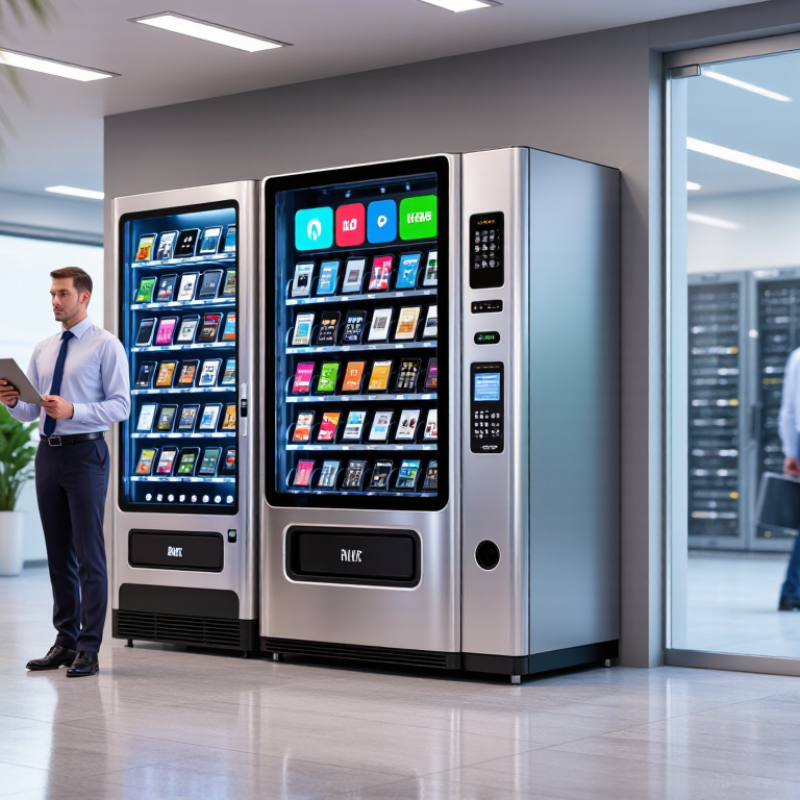
Choosing an IT vending machine starts with a clear use case, not a shiny cabinet. Define what employees may collect, return, or exchange. Typical items include keyboards, headsets, chargers, cables, and preconfigured laptops. Each item needs an owner, cost center, and replacement rule.
Your IT asset management scope should cover the full journey. Record who requested the item, when it was dispensed, and when it was returned. Connect the machine with your service desk or asset register. Use employee authentication, stock alerts, and automatic receipts. A screen showing “available” is useful. A missing audit trail is not.
Human behavior deserves equal attention. A major breach analysis reported that 68% of incidents involved a human element. That figure should shape your controls. Keep instructions short and visible. Require confirmation before dispensing higher-value equipment. Place machines near help desks, but avoid crowded areas where privacy suffers. Test the workflow with real employees. They may skip steps you considered obvious.
The first setup may be wrong. Review failed requests, abandoned returns, and unused inventory after thirty days. Some businesses overstock adapters while forgetting regional power needs. Others track devices but ignore accessories. A practical pilot with twenty users can reveal these gaps before wider deployment. Good vending design is not only automated. It is measurable, adjustable, and accountable.
Set Inventory Capacity Using ABC Analysis and a 95% Service-Level Target
Choosing an IT vending machine starts with inventory logic, not screen size. Classify each item by annual consumption value: unit cost multiplied by yearly demand. A-items may represent roughly 70–80% of value, while C-items often represent only 5%. The Material Handling Industry 2024 Annual Industry Report found that 55% of supply chain leaders planned higher technology investment. Capacity deserves equal attention. A small stockout can delay a technician for hours.
Set a 95% service-level target for critical A-items. This means the machine should meet demand during a replenishment cycle 95% of the time. Use demand history, supplier lead time, and demand variability to calculate safety stock. Do not simply fill every compartment. Five spare laptops may need more space than 100 cable adapters. A 95% target is practical, but it is not perfect. It can still allow one failure in twenty demand cycles.
Tips: Review usage weekly for the first three months. Place fast-moving A-items at waist height. Reserve secure compartments for high-value devices. Keep two weeks of safety stock only when lead times support it. The first forecast will be wrong. That is normal. Adjust bin sizes after observing real withdrawals, not assumptions. Record emergency requests separately; they often reveal hidden demand. MHI also reports that 57% of leaders expect workforce shortages, making automated issue tracking more valuable.
Screen Security with NIST SP 800-53 and IBM’s $4.88M 2024 Breach Cost
An IT vending machine holds more than spare keyboards. It may contain laptops, access cards, and other equipment tied to employee accounts. Treat its touchscreen and management console as business systems, not simple retail hardware. NIST SP 800-53 offers a practical control framework: restrict administrative access, require strong authentication, record transactions, and review logs. Ask vendors how they patch software and protect data moving between the machine and inventory systems. Request evidence, not just assurances.
The physical details matter, too. Check whether the cabinet resists tampering, whether failed logins trigger alerts, and whether staff can disable a lost or compromised unit quickly. A 2024 industry report estimated the average breach cost at $4.88 million. That is not theoretical. It is a reminder to compare security capabilities alongside price, capacity, and delivery speed. Still, a checklist cannot guarantee safety. Teams may skip log reviews or leave default settings unchanged, and that gap deserves honest attention. Before buying, test the machine’s access process with real staff, document who can retrieve sensitive equipment, and confirm how incidents are reported. A neat demo is not enough.
How to Choose an IT Vending Machine for Your Business? — Screen Security with NIST SP 800-53 and the $4.88M 2024 Average Breach Cost
Use this comparison to assess operational fit and security requirements. The $4.88 million figure is the reported 2024 worldwide average cost of a data breach; it is a study average, not a predicted loss for any individual organization.
| Decision Area | What to Evaluate | Practical Selection Guidance | Security Measure | Relevant NIST SP 800-53 Rev. 5 Controls |
|---|---|---|---|---|
| Asset mix and capacity | Device types, dimensions, weight, replacement frequency, and expected peak demand. | Build capacity around the actual approved inventory. Confirm that compartments accommodate the largest items and that restocking can meet demand during busy periods. | Keep inventory records current; restrict dispensing to authorized users and approved items. | AC-2 Account Management; AC-3 Access Enforcement |
| User identity and authorization | How users authenticate and whether permissions can be assigned by role, location, or asset type. | Prefer individual accounts and centrally managed access. Require stronger authentication where the risk assessment or organizational policy calls for it. | Remove access promptly when a person changes roles or leaves; periodically review active accounts. | IA-2 Identification and Authentication; AC-2 Account Management; AC-6 Least Privilege |
| Screen privacy and session security | Screen visibility, session timeouts, displayed personal information, and protection against unattended access. | Position the screen away from public sightlines where practicable. Mask sensitive information and configure automatic session locking or logout after inactivity. | Display only the information needed to complete a transaction; prevent users from viewing another person’s account or transaction details. | AC-11 Device Lock; AC-12 Session Termination; IA-5 Authenticator Management |
| Physical protection | Machine location, cabinet strength, tamper detection, anchoring, and access to stored equipment. | Place the unit in a monitored area with access limited to appropriate staff. Evaluate physical safeguards against the value and sensitivity of stored assets. | Log and investigate access to the machine’s storage area; define procedures for lost keys, suspected tampering, and emergency access. | PE-2 Physical Access Authorizations; PE-3 Physical Access Control; PE-6 Monitoring Physical Access |
| Audit trail and reporting | Availability of user, dispensing, restocking, administrative, and failed-access records. | Check that logs can be exported and reviewed, and that timestamps are consistent. Set retention periods according to policy and applicable requirements. | Protect logs from unauthorized changes and routinely review unusual activity, such as repeated failed attempts or unexpected withdrawals. | AU-2 Event Logging; AU-6 Audit Record Review, Analysis, and Reporting; AU-9 Protection of Audit Information |
| Network and system integration | Network connections, identity-system integration, remote administration, and data exchanged with other systems. | Document required connections before deployment. Minimize exposed services and use approved, protected channels for administration and data transfer. | Separate management access from general user access where feasible; monitor and control connections to other systems. | SC-7 Boundary Protection; AC-17 Remote Access; CM-6 Configuration Settings |
| Updates and vulnerability handling | Software support period, update process, security advisories, and responsibility for applying fixes. | Confirm that the system receives security updates throughout its planned service life. Establish a process to assess and apply relevant fixes promptly. | Maintain an approved configuration baseline and verify changes after updates. | SI-2 Flaw Remediation; CM-2 Baseline Configuration; CM-3 Configuration Change Control |
| Inventory accuracy and reconciliation | Real-time stock visibility, item-level tracking, return handling, and discrepancy reporting. | Set a regular reconciliation schedule and assign responsibility for investigating differences between recorded and physical stock. | Record issue and return events with a user, asset, and timestamp where appropriate; limit inventory adjustments to authorized personnel. | AU-2 Event Logging; AC-6 Least Privilege; CM-8 System Component Inventory |
| Service continuity | Power or network outages, manual fallback, support hours, repair times, and spare-parts availability. | Define how users obtain essential equipment during downtime. Set support and recovery expectations based on operational impact. | Document recovery responsibilities and test the fallback process periodically. | CP-2 Contingency Plan; CP-10 System Recovery and Reconstitution |
| Deployment and ongoing oversight | Site readiness, ownership, staff training, acceptance testing, and periodic control reviews. | Run a pilot at one representative location. Confirm access rules, screen privacy, logs, restocking, and incident procedures before broader deployment. | Assign an accountable owner and reassess controls when the system, site, or operating environment changes. | PL-2 System Security and Privacy Plans; CA-2 Control Assessments; CA-7 Continuous Monitoring |
Test Reliability Against Uptime Institute’s 60% >$100K Outage Finding
An IT vending machine should be judged by how reliably it delivers critical equipment, not by its interface alone. Uptime Institute’s outage research found that roughly 60% of significant outages cost more than $100,000. That figure makes availability a business concern, not just an IT metric. A stocked cabinet is useful only when staff can access it during a real incident. Downtime compounds.
Ask suppliers for documented uptime, fault, and service records. Check what happens when power or network access fails. Test badge access, inventory alerts, and dispensing with the devices your team actually uses. A polished demonstration is not enough. Request a pilot and record failed transactions, refill delays, and time to restore service. These details expose weak points that sales materials may miss.
Tips: Place the machine near the support team, but outside busy walkways. Stock high-impact items, such as replacement drives and adapters, based on incident history. Set a clear refill owner and review stock weekly. Test it live. A vending machine can reduce retrieval delays, but it cannot fix poor inventory planning. Even a good system may need manual checks; that is worth admitting before rollout.
How to Choose an IT Vending Machine for Your Business?
Test reliability against Uptime Institute’s finding that 60% of reported outages cost more than $100,000.
What this means: Outages can carry substantial costs. When assessing an IT vending machine, look beyond convenience: review availability targets, outage history, support response times, spare-parts coverage, and recovery procedures. The chart shows an outage-cost finding, not a measured performance rating for any vending machine.
Model TCO and ROI Against Gartner’s $5.06T 2024 IT-Spending Forecast
A vending machine should earn its place through measured savings, not the appeal of instant access. Gartner’s January 2024 forecast put worldwide IT spending at $5.06 trillion, up 8% from 2023. That figure signals a large, changing market; it does not prove that a vending machine will pay off at your sites. Start with a three-year total cost of ownership model. Include hardware, installation, integrations, support, restocking labor, inventory financing, damaged items, and obsolete stock. Small costs add up.
Then compare those costs with documented benefits: fewer staff trips, shorter device-replacement delays, and less time spent tracking equipment. For example, record how many hours employees currently spend retrieving standard accessories, then estimate the portion a machine could realistically save. Use local data, not vendor-style best cases. Calculate ROI as net benefits divided by total costs, and test low-, expected-, and high-use scenarios. Gartner’s forecast is useful context, but your company’s transaction logs and labor rates should drive the decision. Be candid about uncertainty: demand may be uneven, and stocked devices can age quickly. That deserves a second look. A pilot at one busy office can reveal whether faster access offsets the carrying cost before a wider rollout.
Related Posts
-
How to Start a Food Vending Business in 2026?
-
China Top 10 Snack Vending Machine Manufacturers?
-
How to Choose an Inventory Vending Machine in 2026?
-
How to Transform Your Workplace with a Meal Vending Machine Solution
-
How to Choose the Best Vending Services for Your Business?
-

Vending Services Unveiled: A Comprehensive Analysis of Global Supply Options